Press Kit

FilmScout, ready for the big screen.

Everything on this page is approved for editorial use. No permission needed, no signup, no watermarks. Questions, interviews, or anything not here? Ask us at [email protected] and we will help.

Fact sheet

NameFilmScout (one word)
TaglinePress play prepared.
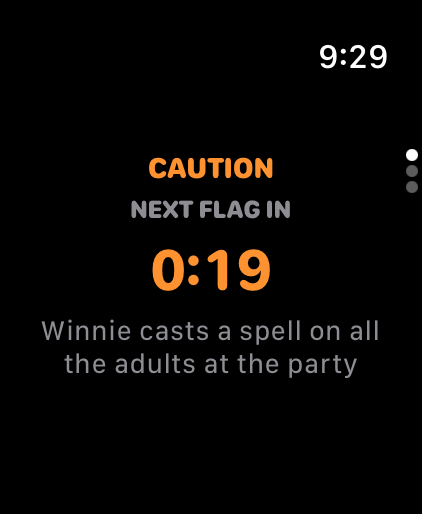
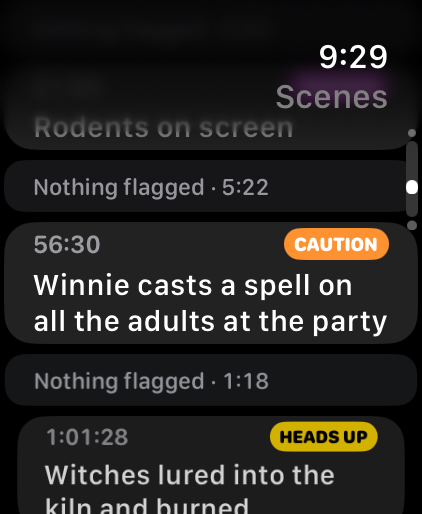
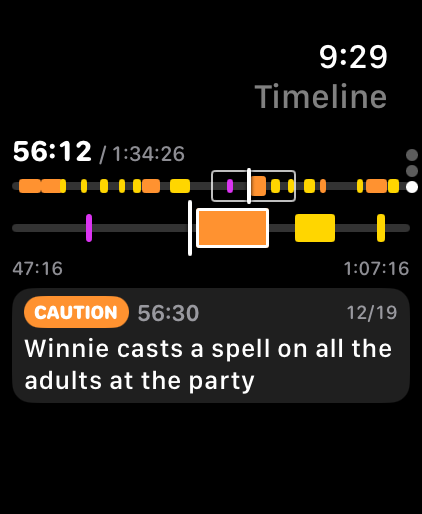
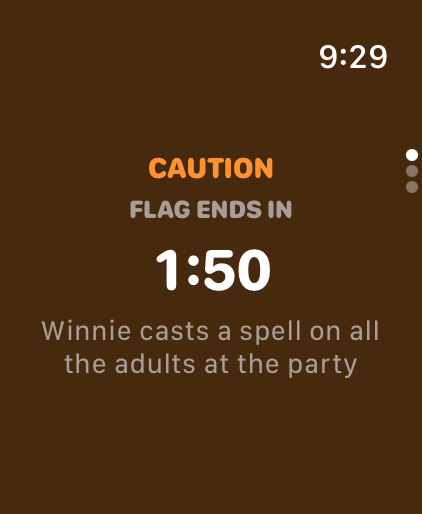
What it doesScene-by-scene content alerts for family movie night. The Companion runs alongside any streaming service and warns 30 seconds before a flagged scene, with audio and haptic alerts. Every movie gets a ScoutScore, a personalized intensity score calibrated to each family's preferences across 16 content categories.
PlatformsiPhone and web browser
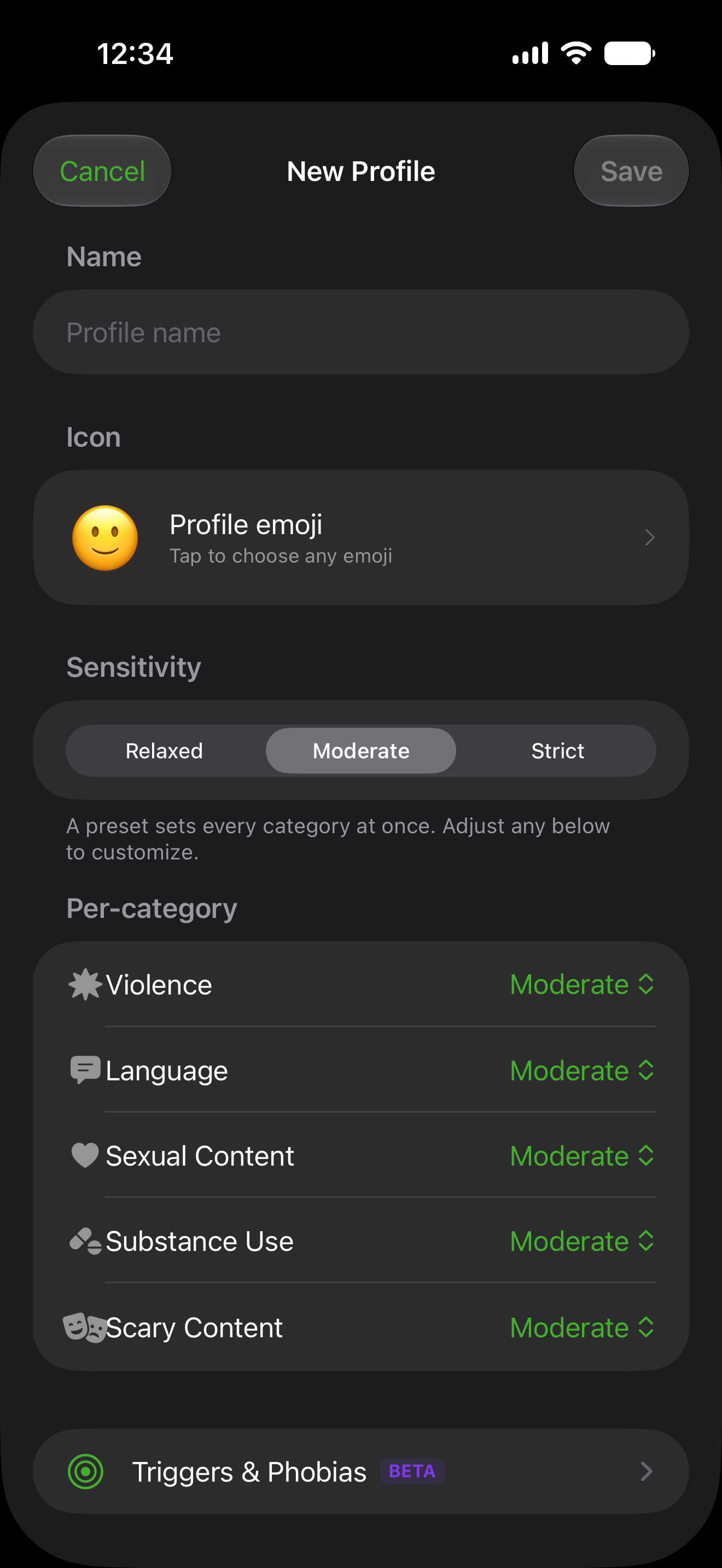
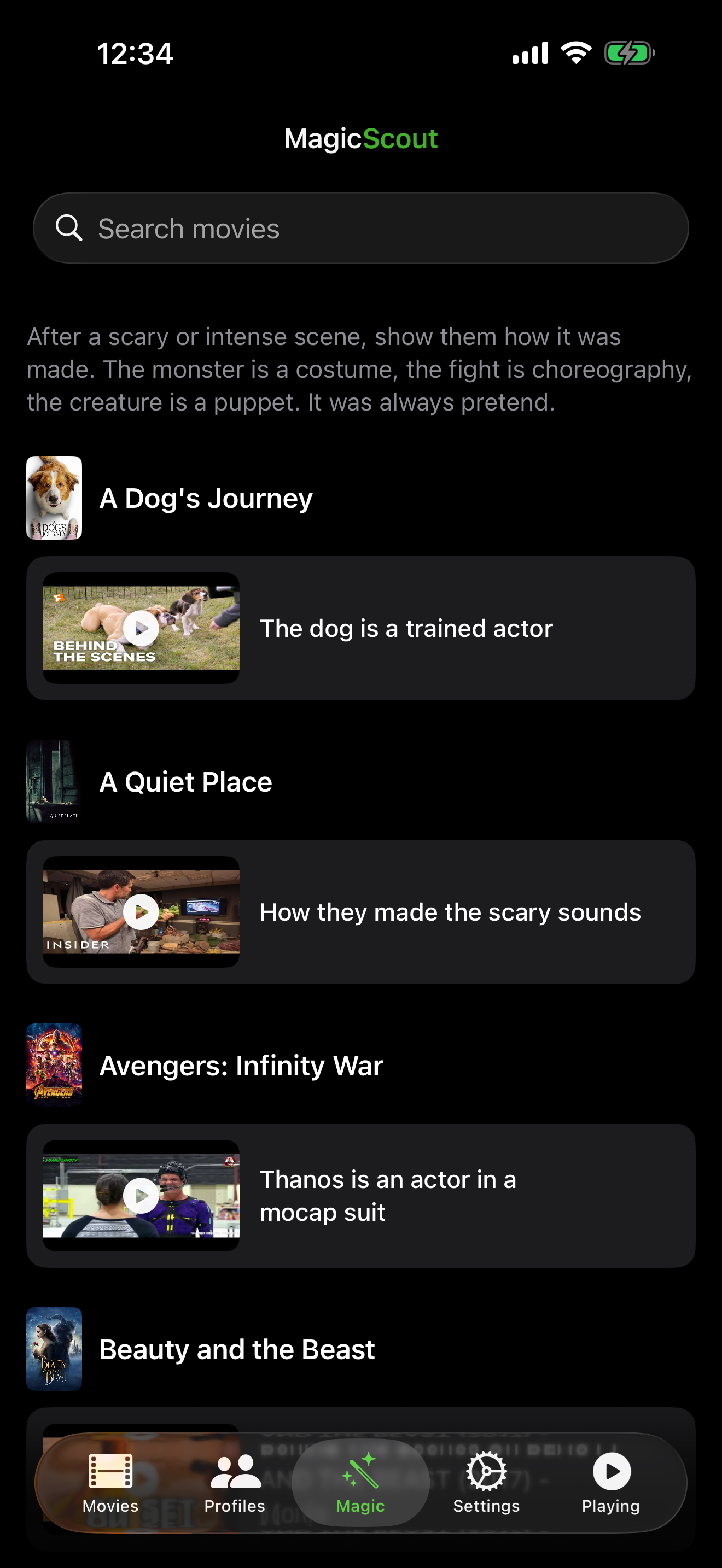
Latest version1.2.0, released August 21, 2026: official age ratings for your country on every movie, the Magic tab (behind the scenes videos), and a clearer Score Guide
Age guidesAge by age answers for the movies parents ask about most, free at getfilmscout.com/is
LaunchedJuly 16, 2026, worldwide (175 countries)
PricingFree guest access. Pro at $1.99 USD/month founder pricing (standard rate is $4.99 USD), $14.99 USD/year, or $99.99 USD lifetime with Apple Family Sharing.
DeveloperBen Fedyniak, solo developer. Published by DXB Creative Co.
Built withSwiftUI, StoreKit 2, Cloudflare Workers
App Storeapps.apple.com/us/app/filmscout/id6780729872
Contact[email protected]

Boilerplate

Copy and paste freely. Short version:

FilmScout gives parents scene-by-scene content alerts for movie night. Set your family's preferences once, then press play prepared: the app warns you 30 seconds before a scene you'd want to know about.

Standard version:

FilmScout is a family movie companion app for parents who want to watch with confidence. Its Companion mode runs alongside any streaming service and alerts 30 seconds before a flagged scene, with audio and haptic cues so there's time to skip, mute, or start a conversation. Every movie carries a ScoutScore, a personalized intensity score that adapts to each family's values across 16 content categories, and MagicScout pairs scary scenes with making-of videos so fear turns into fascination. Built by solo developer Ben Fedyniak, FilmScout launched worldwide in July 2026 on iPhone and the web. Press play prepared.

Citing FilmScout data

For reviewers, bloggers, and journalists:

You are welcome to cite ScoutScores and scene facts (for example, "Jaws carries a ScoutScore of 73, with a flagged scene in the first five minutes") in articles and reviews, with attribution to FilmScout and a link to getfilmscout.com. Our full scene descriptions are licensed content and may not be republished in bulk, but we are happy to arrange excerpts, embeds, or data for a specific piece. Write us at [email protected] and we will help.

Writing about FilmScout? We would love to see it. Send a link to [email protected] or tag @getfilmscout. No need to ask first. This is just so we can say thanks and help share it around.

Age-by-age answer pages

For the most-asked family titles, FilmScout publishes an age-by-age answer page at getfilmscout.com/is/<movie>, for example Is Coraline OK for a 7 year old? Each page gives a verdict per age band, written from the scene map rather than from memory. Quote the verdicts freely with credit to FilmScout and a link to the page you quoted. Scores change as movies are rescored, so please link rather than hardcode a number. If you cover family movies regularly and want these pages for titles we have not built yet, tell us which ones: [email protected].

Share a movie or scene

Any movie or scene in FilmScout can be shared as a ready-made card. It makes an easy visual for a post or an article, and every card carries the ScoutScore and tier at a glance.

How the ScoutScore works

A ScoutScore is one number that answers a simple question: how much is in this movie that a parent might want to know about? Here is how it is built, in plain terms.

1

Every scene gets read

Each moment worth flagging is rated for intensity, from a passing mention to something graphic and sustained. A quick glimpse counts as milder than a lingering, detailed version of the same thing.

2

The most intense moments carry the weight

The score is driven by a movie's most intense scenes, not by how many flags it has. A crowd of mild moments never adds up to one genuinely intense one.

3

Comedy is dialed down

When a moment is clearly played for laughs, it counts for less. A slapstick punch is not weighed like a real one.

Intensity is a ladder, not a checklist

Moving up a step matters far more than adding another flag at the same step. The climb from notable to intense is where a score really rises.

Passing
barely registers
Minor
adds a little
Notable
counts
Intense
counts a lot
Severe
dominates the score

One intense scene outweighs a crowd of mild ones

Picture a movie's scenes laid end to end. A single severe moment lifts the score more than a long string of gentle ones ever could, so a tense drama with one hard scene can outscore a busy comedy full of small ones.

Each bar is a scene. The tall red one is doing most of the work.

From score to color

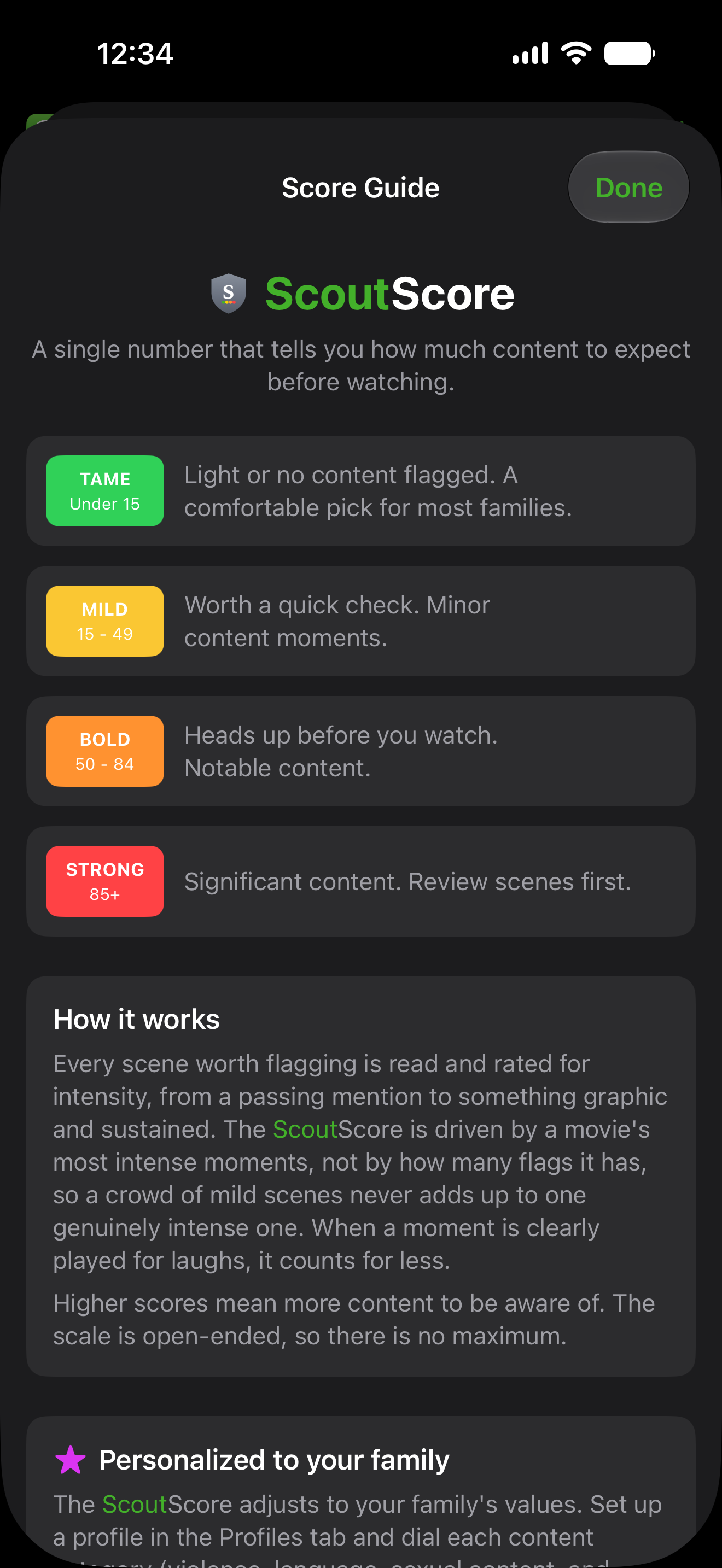
The final number lands in one of four bands. Green means little or nothing that we flagged. Red means significant content. The scale has no ceiling, higher simply means more for a parent to weigh.

Tame Mild Bold Strong
0 15 50 85 and up

Your score, not a stranger's

Set your family's sensitivity across content categories once, and every ScoutScore re-tunes to it. The same movie can read differently for different families, because it should.

Default profile
58
BOLD
A balanced starting point across every category.
Sensitive to violence
86
STRONG
Action and peril weigh more, so the same movie climbs.
Relaxed about language
41
MILD
Strong language matters less here, so it settles lower.

Illustrative: one movie, three families, three scores. Live scores update in the app.

Personal triggers surface in purple BETA

Some families watch for one specific thing: spiders, clowns, vomit, flashing lights. Flag it, and FilmScout marks those exact moments in purple and can lift the personalized score, even when the rest of the movie is calm. Triggers and phobias are in beta and still improving.

TRIGGER · SPIDERS

A large spider crawls across the frame at 41 minutes. The movie is otherwise gentle, but for a household that flagged spiders, this one moment is worth a heads-up. It shows up in purple and nudges the score up for that family alone.

Some scenes are worth talking about

Not everything is a skip. Some moments are borderline but make a good conversation. FilmScout marks those with a small blue conversation icon and offers an open-ended question tied to the movie's themes. The scene keeps its own alert color; the blue icon just points to the talking point, so a hard moment becomes a conversation instead of one you watch past.

TALK ABOUT IT

"When a character has to choose between what is easy and what is right, what do you think makes the difference?"

Scores in these examples are illustrative. Every ScoutScore comes from FilmScout's own scene-by-scene analysis, then personalizes to your family. The real numbers live in the app.

Logo

FilmScout app icon

App icon, 1024 px

PNG SVG
FilmScout app icon

App icon, 512 px

PNG SVG
FilmScout app icon

App icon, 192 px

PNG SVG
FilmScout icon and wordmark lockup for light backgrounds

Lockup (icon + wordmark), light backgrounds

PNG SVG
FilmScout icon and wordmark lockup for dark backgrounds

Lockup (icon + wordmark), dark backgrounds

PNG SVG
FilmScout wordmark for light backgrounds

Wordmark, light backgrounds

PNG SVG
FilmScout wordmark for dark backgrounds

Wordmark, dark backgrounds

PNG SVG
ScoutScore shield

ScoutScore shield

PNG SVG

Color and usage

Scout Green
HEX#43B02A
RGB67, 176, 42
CMYK62, 0, 76, 31
HSL109°, 61%, 43%
HSV109°, 76%, 69%
Ink
HEX#111827
RGB17, 24, 39
CMYK56, 38, 0, 85
HSL221°, 39%, 11%
HSV221°, 56%, 15%
ScoutScore colors
Green #43B02A Yellow #fbbf24 Orange #fb923c Red #ef4444 Purple #a855f7 Blue #3b82f6 Gray #6b7280

Screenshots

Current app version. iPhone, portrait, 1290 x 2796 aspect.

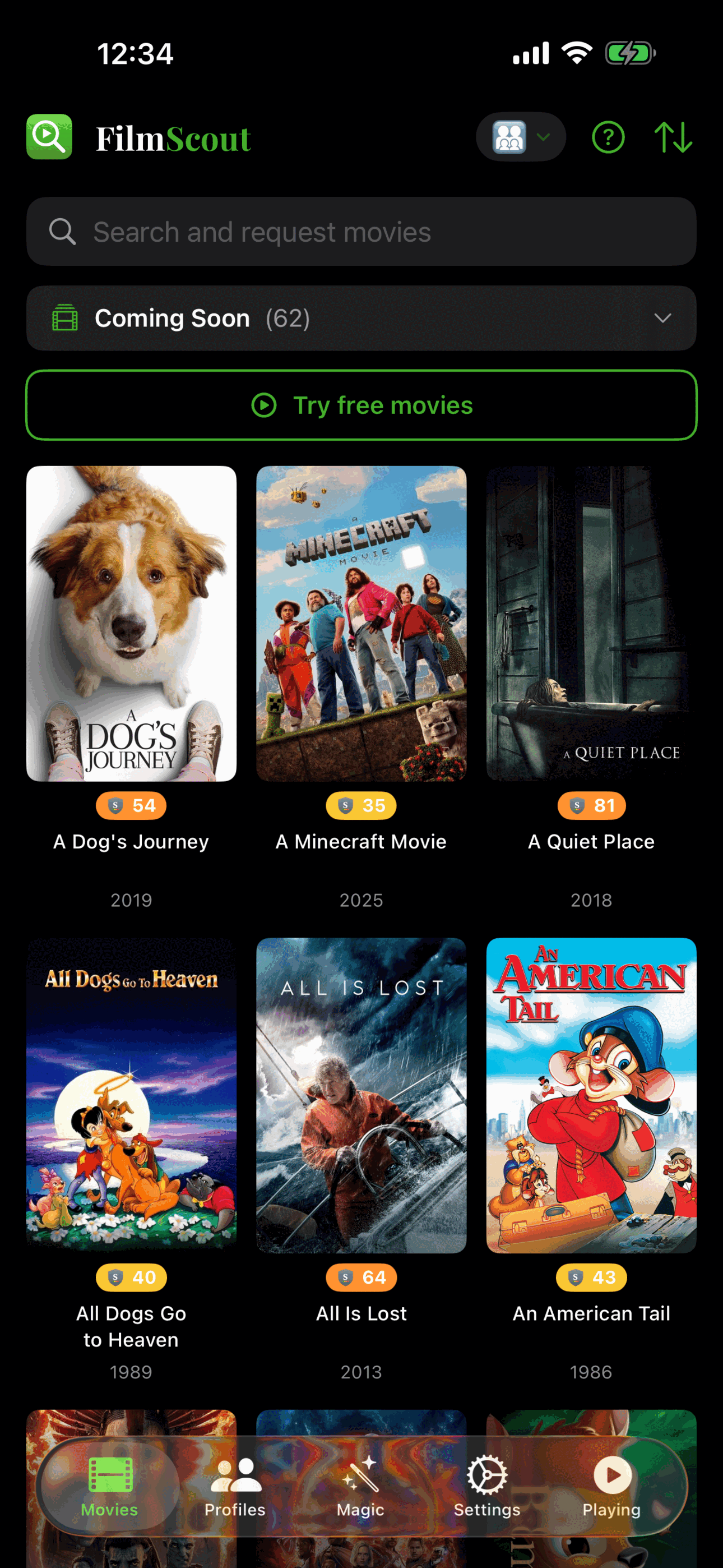
FilmScout movie library

Movie library

Download
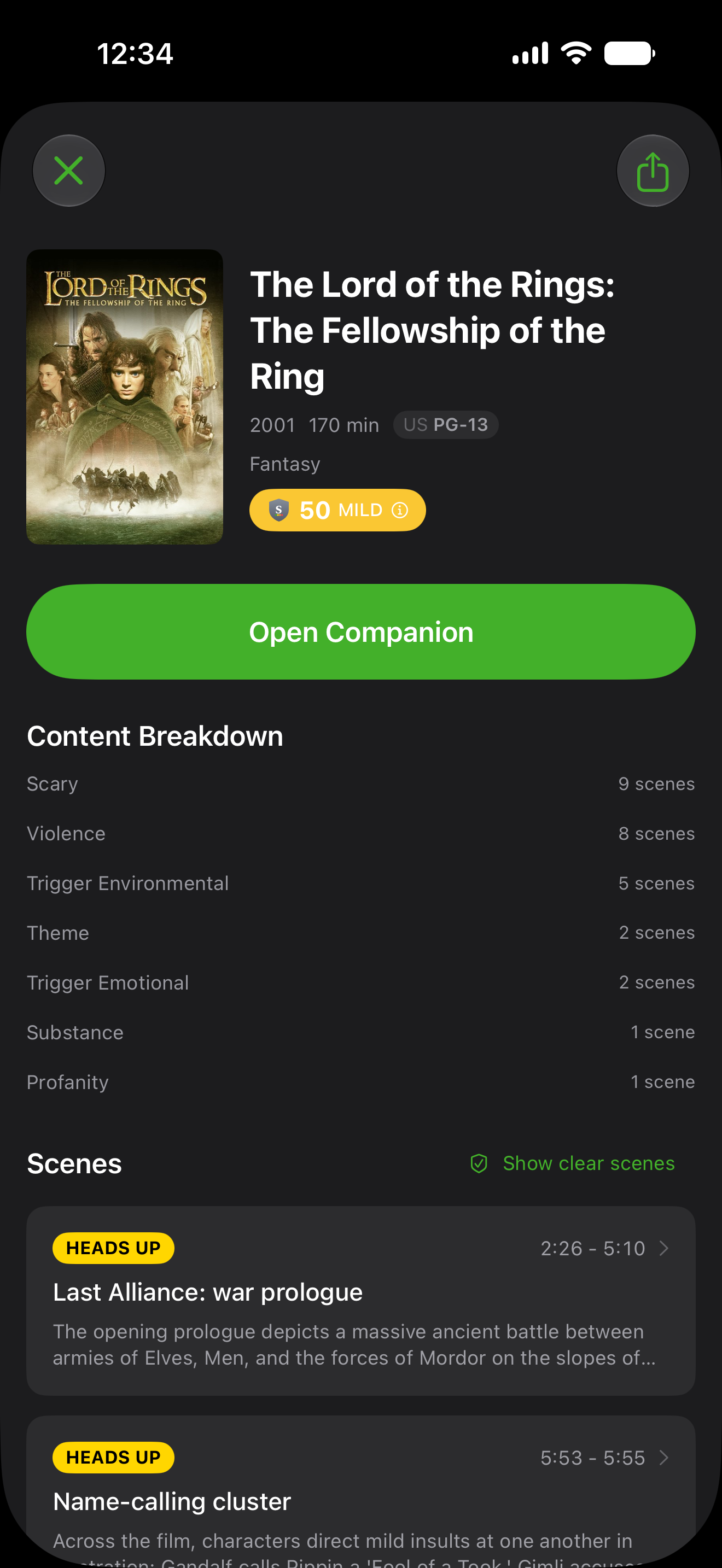
Movie detail with ScoutScore

ScoutScore detail

Download
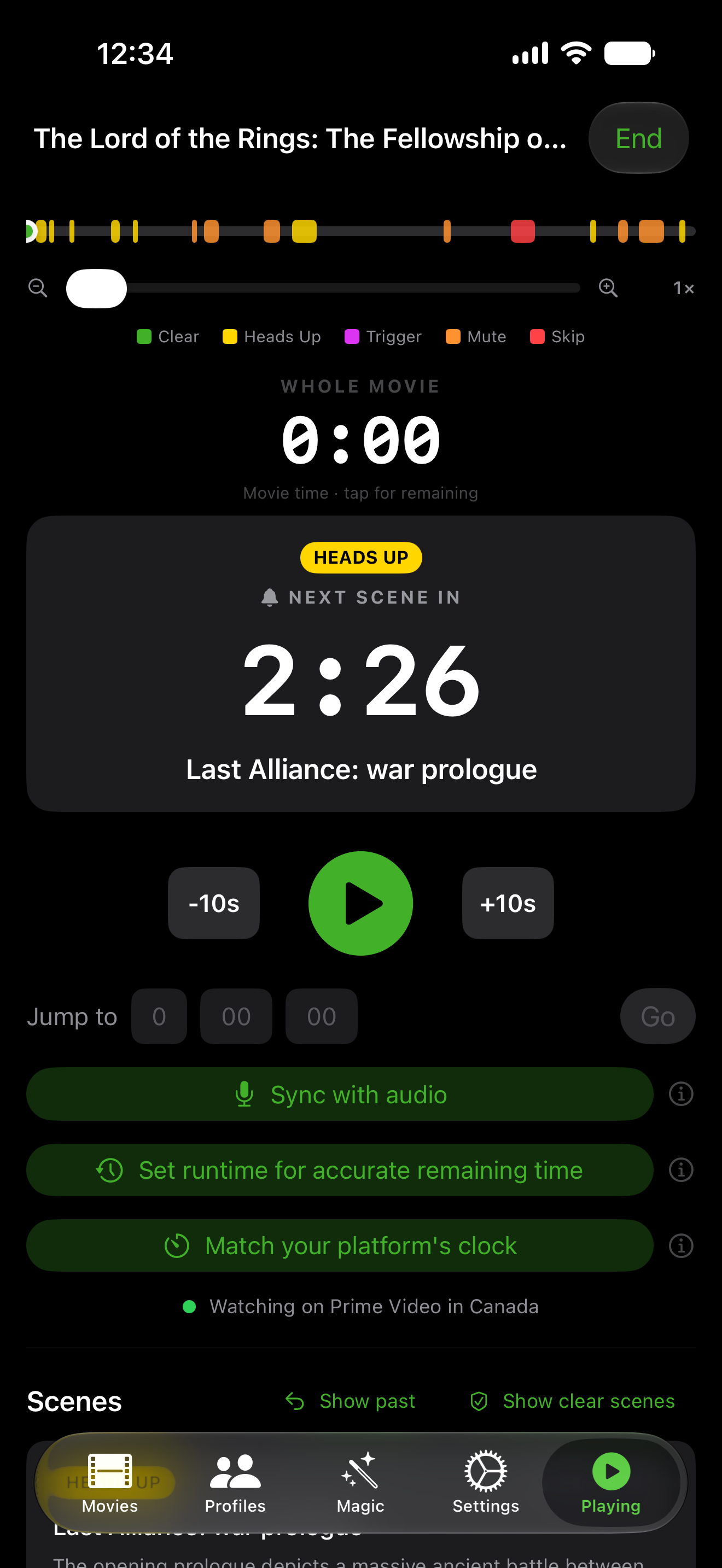
Companion mode alerts

Companion alerts

Download
MagicScout making-of videos

MagicScout

Download
Family preference settings

Settings

Download

The story

FilmScout started with Ghostbusters. Ben wanted to watch it with his kids and, like any parent, checked the rating: PG-13. On paper, that dropped it into the same bucket as a long list of other movies. But Ghostbusters sits at the mild end of PG-13. It earns those letters mostly for ghosts and a few scary images. Another movie with the very same rating can be packed with crude and sexual humor, a hair short of R. Same three letters on the poster, a completely different night for a family.

"My kids' inputs were being decided by a ratings board instead of by us."

That was the realization. The PG-13 umbrella is so wide that the rating alone tells a parent almost nothing, and the part that stuck was how much of what shapes a kid gets handed to a generic label. A rating answers a generic question. Parents are asking a specific one: is this okay for my kid, given our family's values.

FilmScout answers that one. It maps every movie scene by scene, so you know a moment is coming before you press play, and personalizes the warnings to what each family actually cares about. The decision goes back to the people it belongs to. It was designed, built, and shipped by one developer. For interviews or questions, email [email protected].

Press play prepared.